The CAM System Behind the Machine: What Vietnam 5-Axis Shops Run and What to Ask
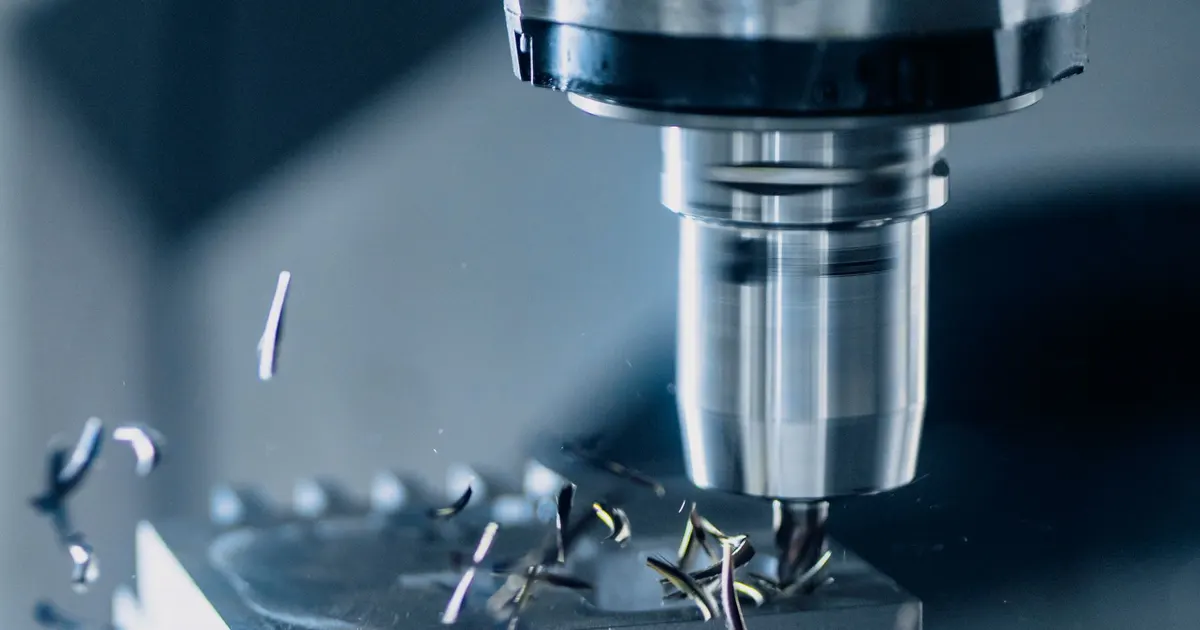
When you buy 5-axis parts, you buy the output of two systems: the machine and the software that tells it where to move. The software side is the one buyers rarely ask about. It decides whether a shop can run simultaneous work safely, how long a first part takes and how reliably a repeat order matches the first one.
We are a matching service. We own no machines and name no shop. This is the set of questions we put to shops about their programming before a drawing goes out.
Why CAM matters more at five axes
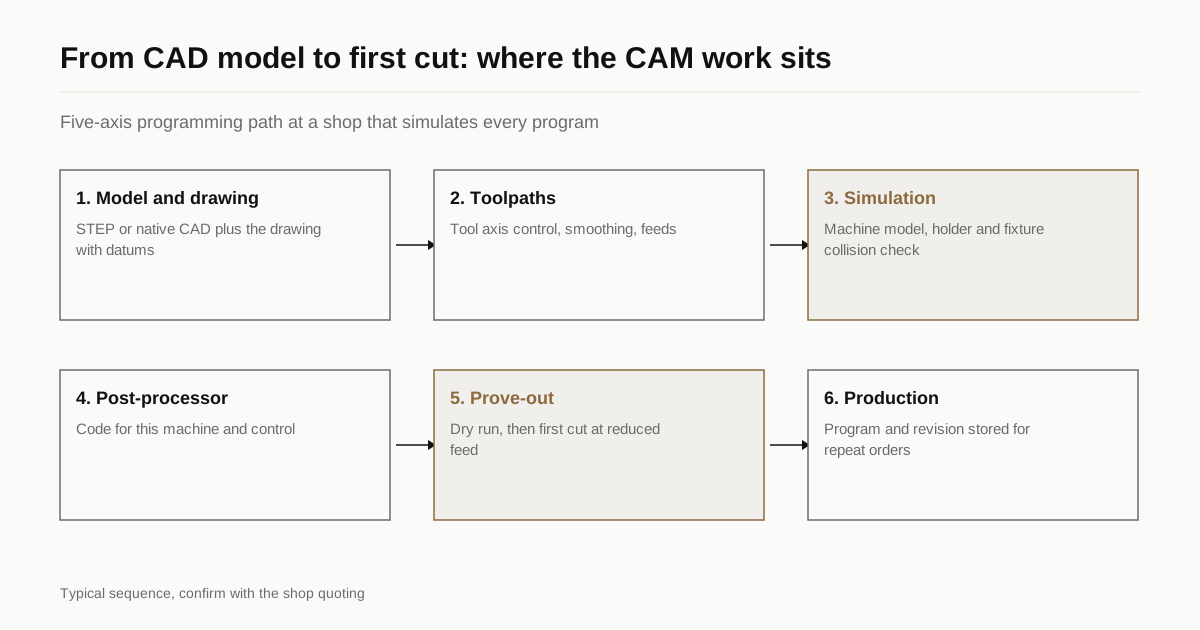
On a 3-axis machine, a toolpath mistake usually ruins one part. On a 5-axis machine, it can break a spindle or crash a head into a table or fixture, because the tool, holder and head can move into places the programmer did not expect. That is why 5-axis programs are simulated against a model of the real machine before anyone presses cycle start.
The software also drives cost. Simultaneous toolpaths on a freeform surface need careful control of tool orientation, smoothing and feed. Poor programming shows up as witness marks, uneven surface finish and long cycle times. With 3+2 indexed work, the toolpaths are closer to 3-axis jobs repeated at different angles, so the demands on CAM are lower. This is one more reason to know which process your part needs, as covered in the capability check guide.
What Vietnam shops commonly run
Shops in Vietnam use the same families of CAM software as shops elsewhere. You will see names like Mastercam, Siemens NX CAM, hyperMILL, PowerMill, Esprit, SolidCAM, Fusion and GibbsCAM on machine lists and in shop profiles. Some shops add an independent verification package. Others program at the control for simple work.
The name matters less than what the shop does with it. A shop with a premium CAM licence and no 5-axis programmer will still quote you indexed work. A shop with a modest system and an experienced programmer may deliver better parts.
| Question | What a good answer sounds like | Warning sign |
|---|---|---|
| Which CAM do you use for 5-axis? | A named system and version | “We use standard software” |
| Do you have a kinematic model of your machine? | Yes, imported from the maker or built in-house | “We simulate roughly” |
| Is every program simulated before cutting? | Yes, with collision checks for tool, holder and fixture | “Only complex parts” |
| Who programs? | A named role, with how many people do 5-axis | One person, no backup |
| Can you accept STEP or native CAD? | Yes, with a list of formats | Drawings only |
The post-processor
CAM produces generic toolpaths. A post-processor converts them into the code that one specific machine and control understands. A poor post can produce wrong tool-centre-point behaviour, jerky motion or missed axis limits.
Ask whether the post was supplied by the CAM vendor or machine maker, or written in-house, and when it was last tested on a cutting job. Ask whether the shop has proved it with a test part such as a cone or an inclined-plane check. A shop that cannot say who maintains its post is relying on luck.
Control functions
The control also needs functions for 5-axis motion. Names vary: tool-centre-point control, tilted working plane, high-speed look-ahead. What matters is that the control supports the kind of work you send. For 3+2 indexed jobs, a tilted-plane function is typically enough. For simultaneous jobs, the control needs to keep the tool tip on path while the rotary axes move. See our note on machine brands for how model and control fit together.
Programming, proving out and repeat orders
First-article programming is the slowest part of a new job. It includes fixture design, tool selection, simulation, a dry run and a first cut often in softer material or at reduced feed. A shop that wants to cut your final part with no prove-out is either very experienced with that part type or taking a risk with your material.
For a repeat order, the shop should be able to reload the same program, fixture and tool list. Ask how programs are stored, whether tools are tracked by number and how changes are logged. If your part changes revision, the file should be updated and the old version kept. Ask for the revision on the traveller or inspection report. Our guide to first article inspection shows how this ties to the report.
What to send so programming goes faster
- A STEP or native model of the part, plus the drawing.
- The datum scheme and the features that must hold tolerance.
- The material, hardness and any heat treatment sequence.
- Stock form you will accept, or permission for the shop to choose.
- Finish and any areas that must stay free of tool marks.
- Expected annual volume, so the shop can decide on a fixture.
If the CAD model and the drawing disagree, say which one wins. Many first-article delays come from that single question.
Intellectual property
You send your model to a shop you have not used before. Ask how files are stored, who can open them and whether the shop will sign an NDA. We sign an NDA before your files go anywhere if you ask. Remember that a CAM file also contains toolpaths and fixtures that belong to the shop’s process; agree who owns those before you move the job to another supplier.
Common mistakes
- Choosing a shop by the CAM brand. A named system proves a licence, not a skill. Ask for a recent part and a measurement report.
- Sending only a PDF drawing. A model speeds up programming and lowers the risk of misreading a dimension.
- Skipping the prove-out on a first order. A first part cut at full speed on an unproven program is a risk for your material and for the machine.
- Not asking who owns the program. If you change supplier later, you will want to know what you can take with you.
- Treating programming as free. For complex parts it is a real cost. Ask whether it appears on the quote and whether a repeat order avoids it.
The best sign of a healthy programming process is that the shop asks you questions before it quotes: which faces are datums, which features are critical, whether tool marks are allowed on a given surface. A shop that asks nothing has either seen the part before or is not looking closely.
A short list to take away
- Name of the CAM system and version.
- Kinematic model of the machine and simulation on every 5-axis program.
- Who maintains the post-processor and when it was last proven.
- How many people program 5-axis, and who covers absences.
- How programs and revisions are stored for repeat orders.
Send the drawing with a STEP model and we will match it to shops that program this kind of part in-house, with a reply within 24 business hours.
Questions
Which CAM system is best for 5-axis work?
There is no single best one. Mastercam, Siemens NX, hyperMILL, PowerMill, Esprit, SolidCAM and others all run 5-axis toolpaths. What matters is that the shop has the kinematic model of its own machine inside the CAM, simulates every program and has a programmer who uses the system daily on 5-axis jobs.
Can the shop program 5-axis directly at the machine control?
For simple 3+2 indexed work, yes, some shops program at the control. For simultaneous work on freeform surfaces it is not practical. If a shop says it programs everything at the control, ask which parts it has run with all five axes moving.
Will the shop need my CAD file or is a drawing enough?
Send both. A native or STEP model lets the programmer measure the part and build toolpaths directly. The drawing carries tolerances, finishes and datums that the model does not. A drawing alone slows quoting and adds the risk of a modelling error.
How long does 5-axis programming take?
It depends on the part. A simple 3+2 housing may be a few hours. A blisk or impeller with blended surfaces can take days. Ask whether programming is quoted separately and whether it repeats if you reorder.
Have a part rather than a question?
Send the drawing and we match it with up to 3 Vietnam shops that run this kind of work. We reply within 24 business hours.